Steps to activate a bank wallet for Ejar
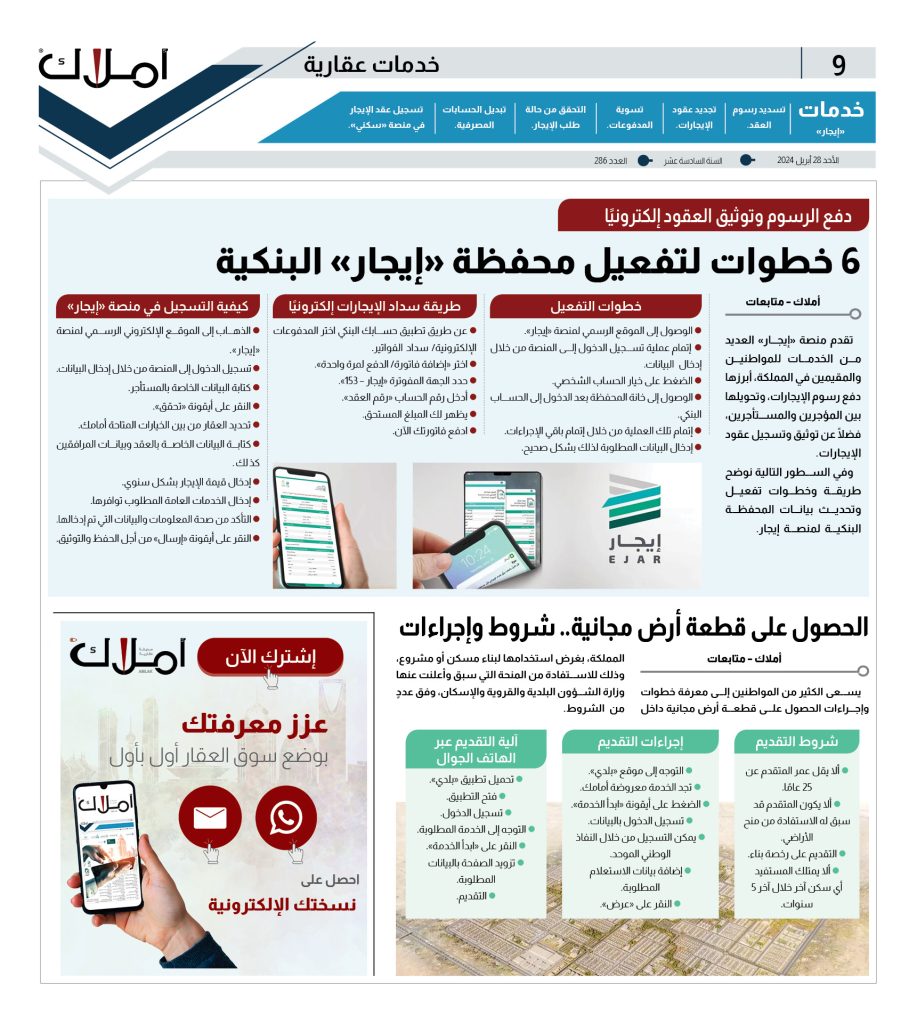
Ejar platform provides many services for citizens and residents in the Kingdom, most notably paying rental fees and transferring them between landlords and tenants, as well as documenting and registering rental contracts.
In the following lines, we explain the method and steps to activate and update the bank wallet data for the Ejar platform.
In the following lines, we explain the method and steps to activate and update the bank wallet data for the Ejar platform.
- Access the official website of the Ejar platform.
- Complete the login process to the platform by entering the required data correctly.
- Click on the personal account option.
- Access the Wallet tab, after entering the bank account.
- Finish this process by completing the rest of the procedures, while entering the required data correctly.
=====
Via your bank account app, select from the main menu Electronic Payments/Bill Payments.
- Select (Add Invoice/One-Time Payment).
- Select the billing entity (Rent - 153).
- Enter the account number (contract number).
- Amount Due will appear and you can then enter the amount to be paid.
- Pay your bill.
- Pay your bill now.
====
How to register on Ejar
Ejar platform announced several steps to register with it and be able to obtain its electronic services as follows:
- Go to the official website of the Ejar platform.
- Logging in to the platform by entering the data required to be entered in the correct places.
- Writing the tenant's details.
- Click on the Verify icon.
- Select the property from the options available to you.
- Then type in the details of the contract and companions as well.
- Then enter the rent amount on an annual basis.
- Enter the required utilities.
- Then, after you have completed these steps, you must make sure that the information and data you have entered is correct.
- Finally, click on the submit icon to save and document.
=============
Terms to get a free plot of land
Many citizens are looking for the steps and procedures to obtain a free plot of land within the Kingdom of Saudi Arabia, either for the purpose of using it to build a house or a project in order to benefit from the grant previously announced by the Ministry of Municipal and Rural Affairs and Housing, according to the following conditions:
- The applicant must be at least twenty-five years old.
- The applicant must not have previously benefited from land grants.
- Applying for a building permit.
- The beneficiary does not own any other residence during the last five years prior to applying for the application.
=========
Application procedures for the free land program
- Go to Baladi.
- Find the service displayed in front of you.
- Click on the Start Service icon.
- The user will be asked to log in with his/her data or it can be done by registering through the national unified access.
- Add the required query data.
- Click View.
=====
Mobile application mechanism
Those wishing to apply for a free plot of land can also apply for the land grant program through a mobile phone, specifically through Baladi's smart application, and the following is how this works:
- Download the Baladi app.
- Open the app.
- Log in.
- Go to the desired service.
- Click on Start Service.
- Fill the page with requested data.
- Submit.